I was standing in my kitchen last Tuesday, staring at a blinking red light on a brand-new smart hub, feeling less like a tech-savvy homeowner and more like I was failing a high school physics exam. We’ve been sold this idea that learning how to set up a smart home requires a degree in computer science and a house that looks like a sterile spaceship, but honestly? That’s a total lie. Most of the “smart” tech out there feels like it was designed to add more chores to your list rather than actually taking them off. I don’t care about having a voice-activated toaster if it takes me twenty minutes to troubleshoot the connection every single morning.
In this guide, I’m skipping the flashy gadget worship and focusing on the stuff that actually matters: building systems that work for you. We’re going to walk through how to set up a smart home that fits into your real, messy, slightly chaotic schedule without breaking your budget or your sanity. I’ll show you how to prioritize the essentials—like lighting and security—so you can get the functional benefits immediately, rather than getting lost in a rabbit hole of unnecessary bells and whistles.
Table of Contents
Guide Overview
Tools & Supplies
- Smartphone (to manage apps and connectivity)
- Wi-Fi Router (to provide network coverage)
- Smart Hub (1 unit)
- Smart Bulbs (3-5 units)
- Smart Plugs (2-3 units)
- Voice Assistant Speaker (1 unit)
Step-by-Step Instructions
- 1. Start by auditing your current setup—and I don’t mean making a spreadsheet, I mean actually walking through your rooms. Grab that notebook I’m always talking about and jot down where you feel the most friction in your day. Is it fumbling for light switches when you walk in with groceries? Is it worrying if you actually locked the front door? Don’t buy a bunch of gadgets just because they’re shiny; focus on solving the specific annoyances that interrupt your flow.
- 2. Pick your “brain” before you buy any hardware. You really don’t want to end up with five different apps that all fight for your attention every time you want to dim a light. I personally lean toward ecosystems that play well with others, like Apple Home, Google Home, or Amazon Alexa. Decide which one you’re going to use as your central command center so everything actually talks to each other instead of living in separate digital silos.
- 3. Prioritize your Wi-Fi strength. This is the unglamorous part of smart home setup that everyone skips, but it’s the most important. If your router is tucked behind a dusty bookshelf in the corner of the living room, your smart plugs are going to be constant headaches. If you have a larger space or thick walls, consider a mesh Wi-Fi system to ensure your devices have a stable connection in every single corner.
- 4. Begin with the “low-hanging fruit”—the easy wins. I always recommend starting with smart lighting or smart plugs. They are relatively inexpensive, incredibly easy to install, and provide that instant gratification that keeps you from feeling overwhelmed. There is something weirdly satisfying about being able to turn off every light in your apartment with a single voice command when you’re already tucked into bed.
- 5. Move on to security and climate control once you’ve mastered the basics. This is where you look at smart thermostats or video doorbells. Just a heads-up: when you’re installing these, read the fine print regarding privacy settings and data sharing. You want a home that feels secure, not a home that feels like it’s spying on you.
- 6. Create “Scenes” to automate your life. This is where the real magic happens and where you stop being a “tech person” and start being a person with a functional system. Instead of manually adjusting five different devices, create a “Morning” scene that slowly raises the lights and starts your coffee, or a “Focus” scene that dims the living room and turns on your desk lamp. We aren’t just collecting gadgets; we are building habits that work for us.
- 7. Build in a “maintenance” mindset. Technology is finicky, and things will occasionally go offline or need a firmware update. Don’t let a single disconnected bulb ruin your mood. Treat your smart home like my vintage furniture projects—it might need a little occasional tinkering to keep it running smoothly, but once it’s dialed in, it’s going to make your life so much easier.
Smart Home Ecosystem Comparison Finding Your Functional Foundation
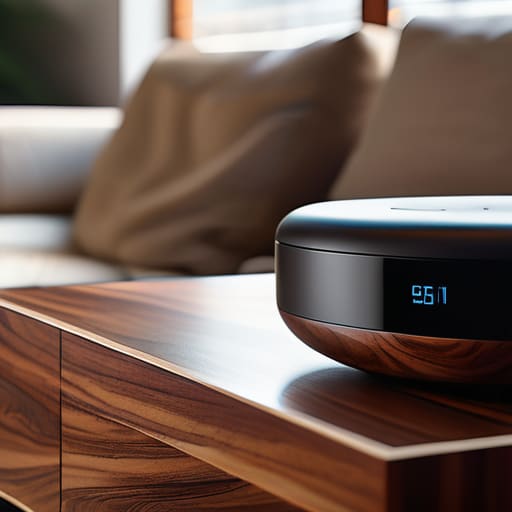
Before you go out and buy every shiny new gadget on the shelf, you need to pick a “brain” for your house. Think of this as your smart home ecosystem comparison phase. You don’t want to end up with a dozen different apps that don’t talk to each other—that’s just adding more digital clutter to your life. If you’re already deep in the Apple ecosystem, HomeKit is a smooth path, but if you want more flexibility and a wider range of budget-friendly options, Google Home or Alexa might be your better bet. The goal isn’t to have the most expensive setup, but to find a foundation that actually communicates with the devices you already own.
Once you’ve picked your side, I highly recommend creating a quick smart home compatibility checklist before you hit “checkout” on anything. It sounds a bit tedious, I know, but it saves you from the headache of a device that looks great but won’t connect to your hub. I always check for “Matter” support these days; it’s a newer standard designed to make sure different brands play nice together. We’re building a system that works for us, not a collection of tech that requires a PhD to troubleshoot.
The Smart Home Compatibility Checklist for Real Life Chaos
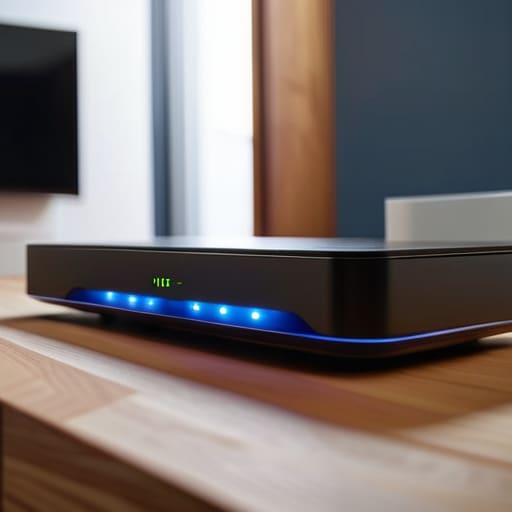
Before you hit “buy” on that sleek new gadget, I need you to take a breath and look at your router. We’ve all been there: you buy a smart bulb, a security camera, and a smart plug, only to realize your Wi-Fi is currently gasping for air in the corner of your living room. This is where most people fail. My personal smart home compatibility checklist always starts with your bandwidth. If your internet struggles to stream a movie in the bedroom, adding ten more connected devices isn’t going to help; it’s just going to create a digital bottleneck.
Next, look past the shiny packaging and check the protocols. I’m not talking about a deep dive into technical manuals, but rather ensuring your new tech actually plays nice with what you already own. You want to look for devices that support Matter or Thread if you want to future-proof your setup. When you’re automating home lighting and security, the goal is seamlessness, not having five different apps just to turn off the hallway lamp. If a device requires its own proprietary bridge and a dedicated login, ask yourself if it’s actually adding value or just adding more clutter to your digital life.
Five Ways to Keep Your Smart Home From Becoming a Tech Headache

- Start with one single “win” to avoid burnout. Don’t try to automate your whole life in a weekend; just pick one thing—like a smart plug for your coffee maker or a single dimmable lamp—and get that working perfectly before moving on.
- Prioritize your Wi-Fi stability before buying any gadgets. There is nothing more frustrating than a “smart” lightbulb that’s actually just a paperweight because your router can’t handle the extra traffic, so check your signal strength in every room first.
- Think about “manual overrides” for everything. If your smart lock glitches or your internet goes down, you still need to be able to get into your house or turn on the lights without needing a PhD in computer science.
- Don’t get distracted by the “shiny object” syndrome. Just because a smart toaster exists doesn’t mean you need one; stick to devices that actually solve a recurring annoyance in your daily routine, like security, lighting, or temperature control.
- Group your devices by “activity,” not just by brand. Instead of having fifty different apps, set up scenes like “Morning Routine” or “Leaving the House” so you can trigger multiple devices with one command, making the tech work for you rather than you working for the tech.
The Golden Rule of Smart Tech
“Don’t let the gadgets become another chore on your to-do list; if a piece of tech doesn’t actively clear a path for you or shave five minutes off your morning chaos, it’s just expensive clutter.”
Audrey Lin-McCallum
Finding Your Flow
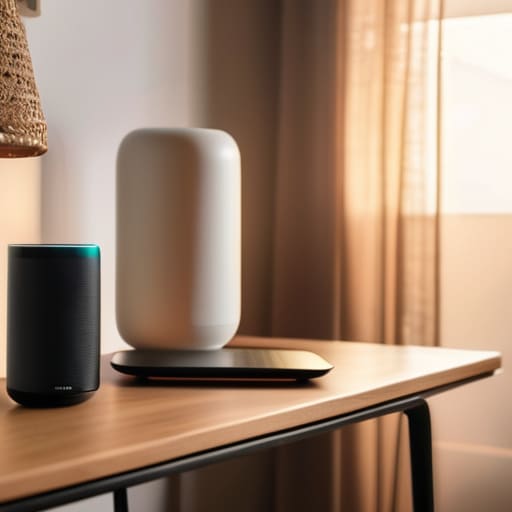
At the end of the day, setting up a smart home isn’t about having a house that looks like a sci-fi movie set; it’s about building a foundation that supports your actual lifestyle. We’ve walked through choosing an ecosystem that won’t give you a headache, checking for compatibility so your devices actually talk to each other, and planning for the inevitable chaos of real life. Remember, you don’t need to automate every single lightbulb or sensor by next Tuesday. The goal is to start with the high-impact wins—the things that actually save you time or mental energy—and let the rest of your system grow organically as you figure out what works for you.
If you’re feeling a little overwhelmed by the sheer amount of tech out there, just take a breath and remember that progress beats perfection every single time. Your home is a living, breathing space, and your smart technology should serve it, not the other way around. Don’t get caught up in the “latest and greatest” gadget wars; instead, focus on creating a home that feels a little more intuitive and a lot less taxing. You’ve got the tools and the plan, so just take it one plug at a time. You’re doing great, and your future, slightly more organized self will definitely thank you.
Frequently Asked Questions
I’m already feeling a bit overwhelmed—can I just start with one or two devices and add more later, or do I need to commit to a whole system right away?
Oh, please—don’t even think about trying to do everything at once. That is the fastest way to end up with a pile of expensive, blinking gadgets and a massive headache. Start small. Grab a smart plug or a single bulb that actually solves a daily annoyance, like turning the lights off from bed. You can absolutely layer in more pieces as you go. Just pick a “language” (ecosystem) first so they can eventually talk to each other.
What happens if my Wi-Fi starts acting up? Will my lights and locks stop working entirely, or is there a manual backup?
Honestly, this is the question that keeps me up at night, too. The short answer? No, your house won’t turn into a high-tech prison. Most smart locks and switches have manual overrides—think physical keys or actual toggle switches—so you aren’t left wandering in the dark. But, if the Wi-Fi dies, your “automation” (like that fancy “Goodnight” scene) will definitely take a nap. Always check for manual backups before you buy.
How much am I actually going to spend on this? I need a realistic idea of what a "functional" setup costs versus the expensive stuff I see in ads.
Look, I get it. The ads make it look like you need a $5,000 overhaul to even start. You don’t. For a “functional” starter kit—think a couple of smart bulbs, a reliable plug, and maybe a single smart speaker—you can realistically get away with $100 to $150. If you want to add a smart lock or a video doorbell, bump that to $300. Focus on solving one annoyance first; don’t buy the whole catalog.
