I was sitting at my desk last Tuesday, staring at a spreadsheet that seemed to be vibrating, when I realized my eyes felt like they had been rubbed with coarse sandpaper. I didn’t need a $500 pair of prescription blue-light glasses or a high-tech ergonomic lighting system to fix it; I just needed to stop treating my vision like an afterthought. We’ve been sold this idea that preventing burnout requires expensive gadgets, but when you’re actually trying to figure out how to reduce eye strain from screens while juggling a freelance schedule, most of that advice is just expensive noise.
I’m not here to sell you a lifestyle makeover or a minimalist desktop aesthetic that you can’t actually maintain. Instead, I want to share the small, slightly unglamorous tweaks that actually work for me when I’m deep in a project. We’re going to talk about realistic habits, workspace adjustments you can make with stuff you already own, and simple ways to protect your sight without overhauling your entire life. Let’s get into the practical stuff that actually keeps your eyes feeling human at the end of a long workday.
Table of Contents
Stop Ignoring Computer Vision Syndrome Symptoms
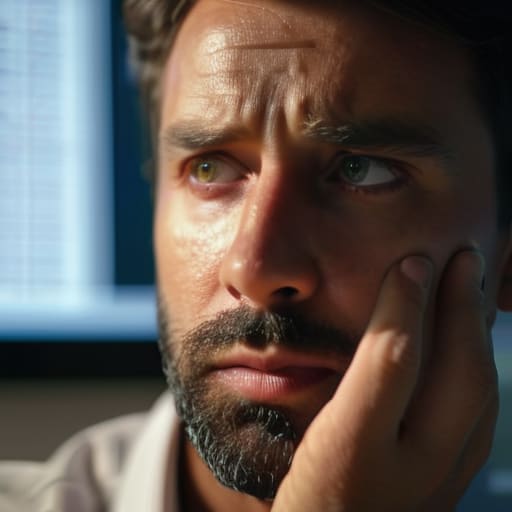
We’ve all been there: it’s 4:00 PM, you’ve been staring at a spreadsheet for three hours straight, and suddenly your eyes feel like they’ve been scrubbed with sandpaper. It’s easy to brush off a little headache or some blurry vision as “just part of the job,” but that’s exactly how you end up in a cycle of fatigue. Those nagging aches are actually classic computer vision syndrome symptoms, and ignoring them is a recipe for a massive productivity crash.
I used to think I could just power through the discomfort with more caffeine, but that’s not a strategy; it’s a slow descent into a migraine. If you’re noticing that your vision feels “heavy” or you’re squinting more than usual, your body is sending you a signal. Instead of waiting for a full-blown tension headache to force you to stop, try to catch it early. Whether it’s preventing dry eyes from screen use by remembering to actually blink, or realizing your lighting is working against you, paying attention to these small warnings is much easier than trying to recover from a total burnout.
Adjusting Monitor Brightness and Contrast for Real Life
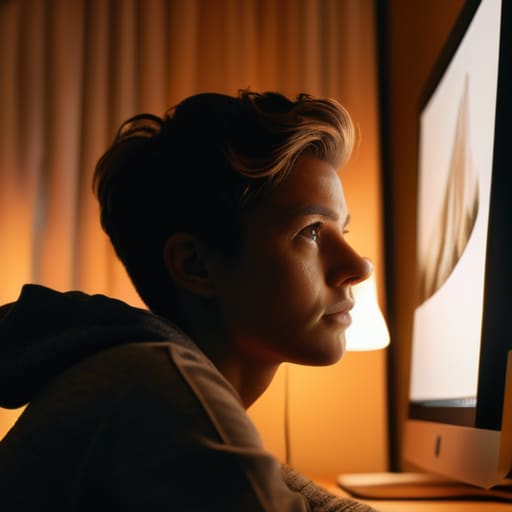
We’ve all been there: it’s 3:00 PM, you’re deep in a spreadsheet, and suddenly your monitor feels like a literal flashlight pointed directly at your retinas. Most people think they just need “better” glasses, but half the time, the culprit is actually your settings. When you’re adjusting monitor brightness and contrast, the goal isn’t to make things look pretty; it’s to make them match the ambient light in your room. If you’re working in a dim room with a screen that’s blasting white light, you’re basically inviting a headache to move in and stay.
Try this quick fix: pull up a blank white document and hold it up next to a piece of physical paper on your desk. If the screen looks like a glowing neon sign compared to the paper, it’s way too bright. You want them to feel roughly equivalent. Also, don’t ignore the contrast settings—if the text is “bleeding” into the background, your eyes are working overtime just to decipher letters. It’s a small tweak to your ergonomic workstation setup, but it makes a massive difference in how much your head throbby-ness increases by sunset.
Small Tweaks to Save Your Sight (Without Buying a Whole New Setup)
- Try the 20-20-20 rule, but don’t make it a chore. Every twenty minutes, look at something twenty feet away for twenty seconds. I keep a little sticky note on the corner of my monitor as a nudge; it’s much easier than trying to remember while you’re deep in a spreadsheet.
- Fix your lighting so you aren’t fighting glare. If you have a window behind you, the reflection on your screen is basically a torture device for your eyes. Angle your desk or grab a cheap curtain to soften that light—it makes a massive difference in how much you’re squinting.
- Check your font size. I used to pride myself on seeing everything clearly, but I realized I was leaning halfway into my screen just to read an email. Bump that zoom up to 125% or 150%. Your neck and your eyes will both thank you for not being a human microscope.
- Use “Night Shift” or blue light filters, even during the day. I know, the warmer tones look a bit “sunset-ish,” but it takes the harsh edge off the screen. If you’re working late into the evening, it’s a lifesaver for keeping your brain from feeling like it’s vibrating.
- Keep some eye drops nearby. Living in a city means dry air, and staring at a screen means we blink way less than we should. I keep a bottle of basic lubricating drops right next to my notebook so I can tackle that “sand in my eyes” feeling before it turns into a headache.
The Reality Check
“We spend so much time trying to optimize our workflows and our apps, but we completely forget that our eyes are just biological tools. You can’t run a high-performance system on hardware that’s constantly overheating; give your vision a break before it forces you to.”
Audrey Lin-McCallum
Small Shifts, Big Relief

At the end of the day, protecting your vision isn’t about buying some expensive, high-tech gadget or redesigning your entire office into a futuristic sanctuary. It’s about the small, almost inconvenient habits that actually move the needle. Whether it’s finally acknowledging those dull headaches before they become migraines, tweaking your monitor settings so they don’t feel like a spotlight in your face, or actually forcing yourself to follow the 20-20-20 rule, these tiny adjustments add up. You don’t need a perfect setup to stop the strain; you just need to stop ignoring the signals your body is sending you.
I know how it feels to be deep in a flow state—or just buried under a mountain of deadlines—and feel like you don’t have the luxury of stepping away. But I promise you, your productivity will suffer way more if you’re squinting through a digital fog. We aren’t aiming for some flawless, curated lifestyle here; we’re just trying to build a workspace that doesn’t leave us feeling completely drained by 5:00 PM. Take a breath, look out the window for a second, and give your eyes a break. You’ve got this, and your future, less-tired self will definitely thank you for it.
Frequently Asked Questions
Do blue light glasses actually do anything, or are they just a glorified marketing gimmick?
Honestly? It’s a bit of both. If you’re looking for a magic wand that cures eye fatigue, you’re going to be disappointed. Most of the “blue light” hype is marketing fluff. However, if you find that the harsh glare from your monitor makes you feel jittery or keeps you wired at 11 PM, a decent pair can help soften that edge. Just don’t expect them to do the heavy lifting—proper lighting and breaks matter way more.
I can't exactly move my desk closer to a window, so how do I handle bad lighting in a cramped apartment?
I feel this in my soul. When you’re working from a corner of a tiny studio, you can’t exactly redesign the floor plan. Since you can’t move the desk, move the light. Grab a small, warm-toned desk lamp—avoid those harsh, clinical overheads if you can. Position it so it hits your workspace without reflecting directly off your screen. It’s all about creating soft, layered light to bridge the gap between your monitor and the dark room.
Are there any quick stretches or "eye exercises" that actually work when I'm in the middle of a deadline?
Look, I don’t have time for a ten-minute meditation when a deadline is breathing down my neck, and neither do you. Skip the complicated “eye yoga.” Instead, try the 20-20-20 rule: every twenty minutes, look at something twenty feet away for twenty seconds. If your eyes feel like they’re full of sand, just cup your palms over them for a minute of total darkness. It’s quick, zero-cost, and actually works.
