I’m going to say something that might get me kicked out of some tech forums: you don’t actually need the latest $1,200 smartphone or a triple-monitor setup to be “productive.” Most of the advice you see online feels like it was written for Silicon Valley engineers who have nothing better to do than optimize every single millisecond of their day. It’s exhausting. When I’m looking for tech tips for beginners, I don’t want to hear about complex automation scripts or expensive gadgets that require a PhD to operate; I just want to know how to stop my laptop from freezing when I have twelve tabs open.
My goal here isn’t to turn you into a coding wizard or help you build a “perfect” digital ecosystem. Instead, I want to share some low-maintenance systems that actually work for people with real, messy lives. We’re going to focus on the practical stuff—the kind of tech tips for beginners that help you organize your files, secure your data, and manage your notifications without losing your mind. Let’s build a digital setup that works for you, rather than something you have to work for.
Table of Contents
Mastering Digital Literacy Basics Without the Stress
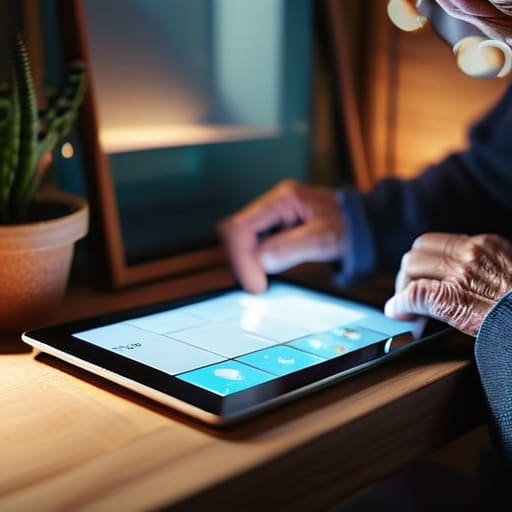
Look, I get it. When you look at a new device, it doesn’t feel like a “tool”—it feels like a puzzle designed to make you feel incompetent. But here’s the secret: most of these gadgets are just fancy versions of things you already know how to do. Mastering digital literacy basics isn’t about memorizing every single menu option; it’s about learning the logic behind how things click, swipe, and connect. If you can navigate a physical filing cabinet, you can navigate a cloud drive. You don’t need to be a coder; you just need to know where the “undo” button lives.
Instead of trying to learn everything at once, I recommend focusing on simplifying technology usage by stripping away the noise. Start with the basics: how to manage your files and how to spot a suspicious link. Prioritizing internet safety for new users is much more important than knowing how to customize your wallpaper. Once you feel secure and know you won’t accidentally break the internet, the rest of the learning curve feels a lot less steep and a lot more like a fun weekend project.
Simplifying Technology Usage for Your Real Schedule
We’ve all been there: you sit down to finish one quick task, and suddenly you’re three levels deep into a settings menu that looks like it was designed by someone who hates people. It’s exhausting. When I’m working on a project, I don’t need every single bell and whistle; I just need my tools to stay out of my way. Simplifying technology usage starts with realizing that you don’t need to master every single feature to be effective. If you can open your email and navigate a browser, you’re already winning.
Instead of trying to learn everything at once, I recommend the “one-in, one-out” rule for your digital life. If you learn a new shortcut or a way to organize your files, try to stop using a clunky, manual method that’s wasting your time. Focus on essential computer skills that actually shave minutes off your day, like setting up auto-fill or mastering a few basic keyboard shortcuts. We aren’t aiming for tech wizardry here; we’re just trying to build a digital environment that feels like a well-organized kitchen—everything in its place, and easy to find when things get chaotic.
Small Tweaks to Stop Your Devices from Feeling Like a Second Job
- Stop fighting your notifications. Go into your settings right now and turn off everything except for actual humans trying to reach you. You don’t need a buzz in your pocket every time someone likes a photo or a random app wants to run a sale.
- Treat your passwords like your house keys—don’t leave them under the mat. Use a password manager so you aren’t stuck in that soul-crushing “forgot password” loop every single time you try to log into your bank or your email.
- Clean up your desktop, but don’t aim for perfection. Just create three main folders—Work, Personal, and Archive—and drag everything into them. It doesn’t have to look like a Pinterest board; it just needs to stop looking like a digital junk drawer.
- Set up “Do Not Disturb” schedules. I started setting mine to kick in automatically at 8:00 PM, and it’s been a game-changer for actually winding down without the constant temptation to check one last email.
- Learn the “Undo” shortcut. Seriously, if you’re on a computer, memorize Ctrl+Z (or Cmd+Z on Mac). It’s the ultimate safety net for when you accidentally delete a paragraph or move a file where it doesn’t belong. It’s much easier than panicking.
The Goal Isn't Mastery, It's Functionality
Stop trying to learn every single feature of a new app just because a tutorial told you to; focus only on the three buttons you actually need to get your work done, and let the rest of the noise fade into the background.
Audrey Lin-McCallum
Let's Keep It Simple
At the end of the day, we aren’t trying to turn you into a software engineer or a digital nomad with a perfectly synchronized, color-coded existence. We’re just trying to make sure your devices work for you, rather than becoming another source of mental clutter. Whether it’s finally setting up those basic folders so you aren’t hunting for files at 11 PM, or learning just enough digital literacy to feel actually confident instead of constantly apologetic, the goal is utility. Remember, it’s not about mastering every single new app that drops; it’s about building a toolkit of habits that fit into the gaps of your real, busy life.
If you feel overwhelmed right now, please take a breath and remember that you don’t have to do it all at once. Technology moves fast, and it’s perfectly okay to let some of it pass you by if it doesn’t serve a purpose in your daily routine. Start with one small tweak—maybe it’s just cleaning up your desktop or learning one new keyboard shortcut—and call that a win. We are aiming for functional, not flawless. You’ve got this, and I promise that even the smallest incremental change makes the digital chaos feel a little more like home.
Frequently Asked Questions
I feel like I'm constantly falling behind on updates—is there a way to keep my devices current without it feeling like a constant interruption to my day?
Ugh, I know that feeling. It’s like your phone decides to stage a protest right when you’re trying to check a recipe or catch a train. Here’s my hack: stop fighting the updates and start scheduling them. Set your devices to “Auto-Update” overnight while you’re sleeping. That way, you wake up to a fresh system instead of a loading bar. If you’re worried about things breaking, just pick one “maintenance night” a month to manually check the big stuff.
How do I actually figure out which apps are useful tools and which ones are just more digital clutter taking up space?
Honestly, I used to suffer from “app hoarding”—downloading every shiny new productivity tool thinking it would magically fix my life. Now, I use the “Three-Week Rule.” If I haven’t opened an app in three weeks, and it hasn’t solved a recurring problem, it’s clutter. Ask yourself: Does this app actually save me time, or am I just spending more time managing the app itself? If it’s the latter, delete it. Your digital space deserves the same decluttering as your junk drawer.
When I'm trying to organize my files, how do I know if I'm overcomplicating the system or if I've actually found a workflow that works?
Here’s the litmus test: if you’re spending more time deciding where to save a file than actually working on the file itself, you’ve gone too deep. A good system should feel like a boring, invisible background process. If you can find what you need in under ten seconds without a mental breakdown, it works. If you’re building a complex hierarchy of sub-folders just to feel “organized,” stop. Simplify until it’s functional, not pretty.
