I am so incredibly tired of seeing those $50 linen-bound planners all over my feed, promising that a pretty cover will somehow magically fix your chaotic life. Let’s be real: a gold-foiled notebook isn’t going to stop the panic you feel at 10:00 PM when you realize you forgot to email your landlord and buy groceries. Most of the popular to do list tips floating around the internet are designed for people who have nothing to do but sit in sun-drenched cafes, not for those of us trying to balance freelance deadlines with a messy apartment and a real-world schedule.
I’m not here to sell you on a lifestyle aesthetic or a complicated productivity system that requires a PhD to operate. Instead, I want to share the gritty, functional systems I’ve actually used to keep my head above water while coordinating projects and managing my own tiny, crowded space. We’re going to skip the fluff and focus on practical, low-maintenance ways to organize your day so that your list actually works for you, rather than just becoming another source of guilt on your desk.
Table of Contents
Prioritization Methods for Daily Tasks That Actually Stick

Let’s be real: a list of twenty items isn’t a plan; it’s a recipe for a mid-afternoon meltdown. If everything is labeled “urgent,” then nothing is. I’ve found that the best prioritization methods for daily tasks involve being a little ruthless with yourself. I swear by the “Rule of Three.” Before I even touch my coffee, I pick three non-negotiable tasks that must happen for the day to feel like a win. Everything else is just a bonus. It stops that paralyzing feeling of looking at a massive pile of work and deciding to take a nap instead.
If you’re someone who gets easily distracted by the “small stuff,” you might want to experiment with some simple time blocking techniques. Instead of just having a floating list, I carve out specific chunks of my afternoon for deep work. It’s not about being a productivity robot; it’s about protecting your energy. When you assign a task a specific home on your calendar, you stop negotiating with yourself every twenty minutes about what you should be doing. It turns “I should do this” into “This is when this happens.”
Overcoming Procrastination With Lists Without the Guilt
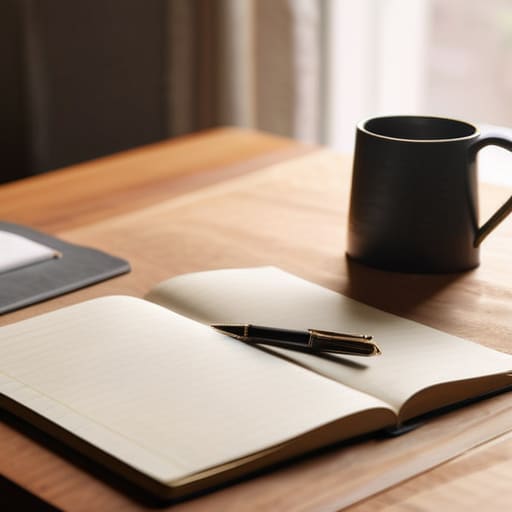
We’ve all been there: you stare at a list of fifteen items, feel a wave of paralysis, and decide that scrolling through social media is a much better use of your energy. The problem isn’t your willpower; it’s that your list feels like a list of failures waiting to happen. When we talk about overcoming procrastination with lists, we have to stop treating them like a rigid contract and start treating them like a roadmap. If you miss a task, you haven’t failed the system; the system just needs a quick recalibration.
Instead of letting a mounting pile of unfinished tasks trigger a guilt spiral, try breaking things down into “micro-wins.” If “Clean the entire kitchen” feels too heavy, write down “Empty the dishwasher.” It sounds silly, but it bypasses that mental resistance. I’ve found that mixing a few time blocking techniques with these smaller tasks helps create momentum without the crushing weight of expectation. We aren’t aiming for a perfect streak; we’re just trying to keep the gears turning.
Small Wins: 5 Ways to Keep Your List From Becoming a Source of Anxiety
- Stop the “Everything is Urgent” Trap: If your list has twenty “High Priority” items, you don’t have a list; you have a wish list. Pick three non-negotiables for the day and let the rest be bonus points.
- Use “Micro-Tasks” to Trick Your Brain: Instead of writing “Clean the kitchen,” which feels like a mountain, write “Empty the dishwasher.” It’s much harder to argue with a task that takes five minutes.
- Build in a “Buffer Zone”: We all overestimate how much we can do between 9 AM and 5 PM. Leave at least two slots open on your list for the inevitable “quick” phone call or the sudden realization that you’re out of coffee.
- The “Done” List Hack: On days when you feel like you achieved nothing, grab your notebook and write down everything you actually did—even the stuff that wasn’t on the original list. It’s a reality check for your productivity.
- Audit Your List Every Sunday: Don’t let old, crusty tasks from three weeks ago haunt your daily view. If it hasn’t been important enough to do by now, either delete it, delegate it, or move it to a “Someday” list.
The Reality Check
“A to-do list isn’t a performance review or a checklist for a perfect life; it’s just a way to clear the mental clutter so you can actually breathe between tasks.”
Audrey Lin-McCallum
Beyond the Paper and Ink

At the end of the day, a to-do list shouldn’t be a source of shame or a mountain of unachievable expectations. We’ve talked about moving past those rigid, aesthetic planners and actually finding a rhythm that works—whether that’s through ruthless prioritization or learning how to forgive yourself when a task inevitably gets pushed to tomorrow. The goal isn’t to clear every single checkbox by sunset; it’s about creating a functional roadmap that keeps you from spinning your wheels. Remember, if your list is causing more stress than it’s solving, it’s time to tweak the system, not beat yourself up for being human.
I spent years thinking that a “productive day” meant checking off thirty different items, but I’ve learned that true productivity is actually about intentionality. It’s about choosing the right three things and letting the rest wait without a side of guilt. Your lists are tools, not masters. Use them to clear the mental clutter so you have more room for the things that actually matter—like a slow cup of coffee or finally finishing that furniture restoration project. Keep it simple, keep it manageable, and most importantly, make it work for you.
Frequently Asked Questions
How do I stop my to-do list from becoming a massive, intimidating wall of text that just makes me want to nap?
The “wall of text” is a productivity killer. When I see a list that long, my brain just shuts down and looks for a snack instead.
Should I be using a digital app for this, or is there actually a benefit to sticking with a physical notebook?
Honestly? It depends on how your brain handles friction. If you’re constantly switching between tabs and getting distracted by notifications, a physical notebook is your best friend—it’s just you and the ink, no rabbit holes. But if you’re a “forget everything the second I leave my desk” person, a digital app with reminders is non-negotiable. Personally, I use both: a digital calendar for the hard deadlines and my trusty notebook for the messy, daily grind.
What do I do when I inevitably finish my list by noon and then feel like a failure because I have nothing else planned?
First off, take a breath. You aren’t a failure; you’re actually just efficient, which is a win in my book. Instead of spiraling, I treat that sudden gap as “bonus time.” I keep a secondary “Low-Energy/Small Wins” list—things like watering my plants or clearing my inbox—but if nothing is urgent, I give myself permission to stop. If the work is done, the day is done. Don’t manufacture busyness just to feel productive.
