Ever had that moment where you’re right in the middle of a deadline-heavy Zoom call, only for your screen to freeze into a pixelated mess of your own stressed-out face? It’s infuriating. You start Googling how to fix slow wifi, and suddenly you’re being bombarded with ads for $500 mesh systems or complex technical manuals that look like they were written for NASA engineers. Honestly, most of that high-priced tech advice is just noise designed to separate you from your paycheck. You don’t need a degree in network engineering or a massive budget to get a decent signal; you just need to stop fighting your hardware and start working with it.
I’m not here to sell you a shiny new router or walk you through a labyrinth of settings that will probably break something else. Instead, I want to share the practical, low-maintenance tweaks I’ve learned from living in cramped apartments where every wall feels like a signal killer. We’re going to look at the real-world fixes—the kind that actually work within a busy schedule—so you can stop troubleshooting and get back to your actual life.
Table of Contents
Smart Wifi Router Placement Tips for Busy Households

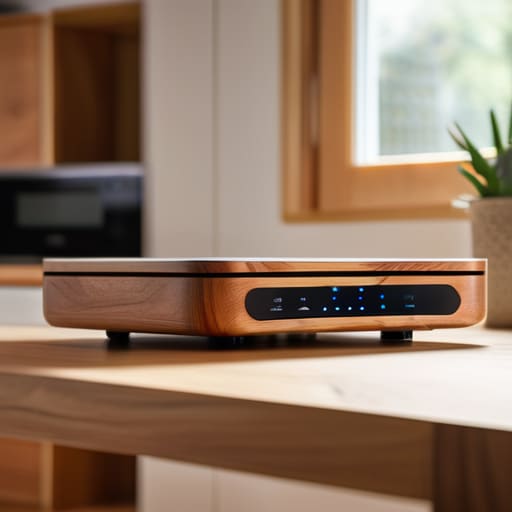
Look, I know the instinct is to tuck your router behind the TV or hide it inside a media console to keep the wires out of sight. Trust me, I’ve been there—I love a clean aesthetic as much as the next person—but that’s basically like trying to shout through a thick pillow. If you want to actually reduce wireless interference, you need to give that little blinking box some breathing room. The best wifi router placement tips usually involve getting it out in the open and, if possible, up high. Think of it like a lamp; you wouldn’t put a floor lamp inside a cabinet and expect the whole room to glow, right?
If you’re living in a space with thick walls or multiple floors, you might find that a single router just can’t keep up with your Zoom calls and Netflix marathons. This is usually the point where people start debating wifi extender vs mesh network options. While extenders are a cheap quick fix, a mesh system is a much more seamless way to blanket your home in signal without the constant drops. It’s about building a system that actually works with your layout, rather than fighting against your own walls.
Reduce Wireless Interference Without Tearing Down Your Walls
If your router is tucked behind a heavy bookshelf or sitting right next to a microwave, you’re essentially asking for trouble. Physical barriers are one thing, but electronic “noise” is a silent killer for your connection. To reduce wireless interference, start by moving your tech away from other major appliances and cordless phones. It sounds simple, but even a neighbor’s heavy-duty electronics can bleed into your signal and cause those annoying drops during a Zoom call.
If you’ve already cleared the clutter and things still feel sluggish, it might be time to dive into your settings. Most routers default to the same crowded channels, which is a recipe for congestion in an apartment building. I usually recommend that you log into your admin portal to change wifi channel settings—switching from a crowded channel to a quieter one can feel like moving from a noisy highway to a side street. If you’re still struggling, you might need to optimize wireless frequency bands by shifting your high-bandwidth devices over to the 5GHz band. It’s a tiny bit of digital housekeeping that makes a massive difference.
Five Low-Effort Tweaks to Get Your Internet Moving Again

- Check your “ghost” devices. I realized last week that my old tablet and a dusty smart plug were hogging bandwidth in the background. Go into your router settings, see what’s actually connected, and kick off anything that doesn’t need to be online.
- Switch to the 5GHz band if you’re close to the router. The 2.4GHz frequency is like a crowded sidewalk—it’s great for distance, but it gets bogged down easily. If you’re working in the same room as your router, jump on the 5GHz lane for a much smoother ride.
- Give your router a quick “brain reset.” It sounds cliché, but these little machines get overwhelmed by data junk just like we do. Unplug it, let it sit for thirty seconds while you grab a coffee, and plug it back in. It clears out the digital cobwebs.
- Update your firmware (and actually do it). Most of us ignore those little “update available” notifications, but they usually contain fixes for the exact lag issues we’re complaining about. It takes five minutes and can save you an hour of frustration later.
- Consider a mesh system if your apartment layout is working against you. If you’re tired of the WiFi dying the second you walk into the kitchen, stop trying to force one single router to do all the heavy lifting. A mesh system spreads the signal out more naturally, like a relay race for your data.
## A Quick Reality Check
“We spend so much time trying to optimize every single corner of our lives, but sometimes fixing your WiFi isn’t about buying the most expensive new gadget—it’s just about moving a dusty router out from behind the couch so your tech can actually breathe.”
Audrey Lin-McCallum
Bringing It All Back to Earth

Look, we’ve covered a lot of ground, from moving that bulky router out of the kitchen corner to making sure your microwave isn’t sabotaging your Zoom calls. Whether you’re tweaking your placement, clearing out the digital clutter, or finally deciding to invest in a mesh system, the goal isn’t to turn your apartment into a high-tech laboratory. It’s just about minimizing the friction between you and the things you need to get done. If you can implement even one or two of these tweaks today, you’re already ahead of the curve. You don’t need a perfect signal to have a functional digital life; you just need a connection that actually shows up when you need it.
At the end of the day, technology is supposed to be a tool that serves us, not a constant source of micro-frustrations that eat away at our focus. Don’t let a spinning loading icon convince you that your setup is a lost cause. Most of the time, the fix is much simpler and more practical than the tech giants want you to believe. Take a breath, try one small adjustment, and get back to your actual life. We’re building systems that work for us, not the other way around—and that includes your WiFi.
Frequently Asked Questions
I’ve tried moving my router, but my signal is still dead in the bedroom—is it time to finally bite the bullet and buy a mesh system?
Honestly? If you’ve already played musical chairs with your router and you’re still staring at a “no connection” icon in your bedroom, it’s probably time. Don’t feel guilty about the extra expense; it’s an investment in your sanity. Before you go full-blown tech nerd, just check if your current router is ancient. If it’s more than a few years old, a mesh system will actually solve the coverage gap without the headache.
Does it actually matter if I’m using an old laptop or an outdated phone, or is my internet service provider just letting me down?
It’s a bit of both, honestly. Think of it like trying to run a high-end espresso machine through a tiny, old coffee grinder—the bottleneck is the gear. If your laptop or phone is ancient, its internal antenna probably can’t keep up with modern speeds, no matter how much bandwidth you’re paying for. But if your tech is relatively new and things are still crawling, then yeah, your ISP is likely the culprit.
Are there specific apps or settings I can check to see if one of my devices is secretly hogging all the bandwidth in the background?
Honestly, it’s usually a rogue cloud backup or a game update you forgot about. Open your router’s admin app—most modern ones like Eero or Google Nest have a “connected devices” list that shows real-time data usage. If you’re tech-savvy, check your computer’s Activity Monitor (Mac) or Task Manager (Windows) under the “Network” tab. It’ll show you exactly which background process is sucking up all your bandwidth while you’re just trying to work.
