I remember the exact moment I realized I’d gone too far: I was standing in my tiny kitchen, surrounded by three different “smart” hubs that refused to talk to each other, while a blinking LED light mocked my attempt at a streamlined life. I had spent a small fortune trying to automate my morning routine, only to end up spending more time troubleshooting apps than actually drinking my coffee. Most guides on how to choose tech for your home make it sound like you need a degree in systems engineering and a massive budget to achieve that “connected” lifestyle you see on Pinterest. But honestly? Most of that gear is just expensive clutter that adds more friction to your day instead of removing it.
I’m not here to help you build a high-tech showroom that looks great in a filtered photo but falls apart the second your Wi-Fi hiccups. My goal is to help you find the tools that actually earn their keep by making your daily chaos a little more manageable. We’re going to skip the flashy gimmicks and focus on practical, durable, and—most importantly—functional solutions. I’ll show you how to vet gadgets based on how they fit into your real-world schedule, ensuring your home stays a place of rest, not a permanent IT support ticket.
Table of Contents
Essential Smart Home Gadgets That Actually Survive Real Life
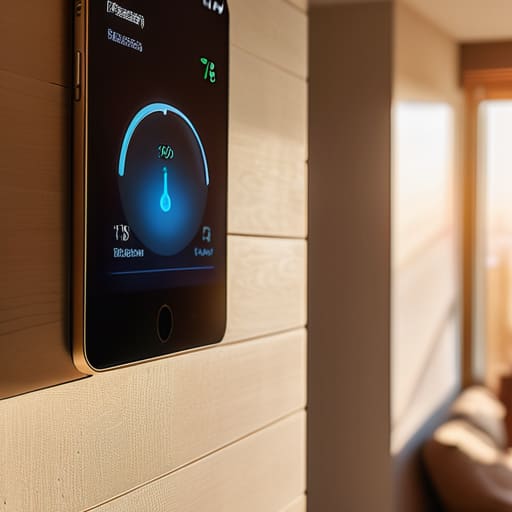
Look, I’ve seen enough “smart” gadgets end up in the junk drawer to know that most of them are just expensive paperweights. If you want to actually improve your routine, start with the basics: lighting and climate. A few smart bulbs or a programmable thermostat can take the edge off that “I forgot to turn off the lights” anxiety when you’re halfway to work. When you’re looking at these essential smart home gadgets, don’t just buy the one with the prettiest app; make sure it actually talks to the stuff you already own.
This brings us to the big one: smart home ecosystem compatibility. There is nothing more frustrating than having a smart lock that refuses to play nice with your voice assistant. Before you pull the trigger on a new purchase, check if it fits into your existing setup. I always tell my friends to treat this like home automation budget planning—don’t try to automate your entire life in one weekend. Pick one room, get the connectivity right, and build from there. It’s much better to have three devices that work flawlessly than a dozen that constantly need a reboot.
Evaluating Smart Home Connectivity Without the Aesthetic Pressure
Here’s the thing about smart tech: it’s incredibly easy to get seduced by a sleek, glowing gadget that looks amazing in a staged Instagram photo but falls apart the second you try to actually use it. When you’re evaluating smart home connectivity, don’t just look at the box design. Look at how it talks to the stuff you already own. I’ve learned the hard way that if your new smart bulb won’t play nice with your existing hub, you aren’t building a smart home; you’re just building a collection of expensive paperweights.
Before you hit “buy,” take a second to check on your smart home ecosystem compatibility. Are you a “one brand does everything” person, or do you like a mix-and-match approach? There’s no wrong answer, but trying to force devices from different worlds to work together can turn a simple Tuesday into a troubleshooting nightmare. My advice? Pick a direction early on so you aren’t constantly fighting your own house just to dim the lights. Focus on functional cohesion over a matching color palette.
Five Rules of Thumb Before You Hit "Add to Cart"

- Audit your actual pain points first. Don’t buy a smart coffee maker just because it’s trendy if your real problem is that you always forget to lock the front door at night; solve the friction, not the aesthetic.
- Check the “ecosystem tax.” Before you commit to a new gadget, make sure it actually plays nice with the stuff you already own, otherwise you’re just building a digital graveyard of apps that don’t talk to each other.
- Prioritize “set it and forget it” functionality. If a piece of tech requires you to open a specific app and perform five manual steps every single time you use it, it’s not a tool—it’s another chore on your to-do list.
- Don’t overcomplicate your privacy. If a device needs access to your entire contact list and location just to turn on a lightbulb, walk away; some “conveniences” aren’t worth the digital headache.
- Think about the “broken” scenario. Always ask yourself: “If the Wi-Fi goes down or the app crashes, can I still use this device manually?” If the answer is no, you’re building a house of cards, not a smart home.
The Golden Rule of Gadgets
“If a piece of tech requires a PhD to set up and a lifestyle overhaul just to keep it running, it’s not a tool—it’s a chore. Stop buying things for the version of yourself that has a pristine, minimalist showroom, and start buying things for the version of you that just wants the lights to turn off without a fight.”
Audrey Lin-McCallum
The Bottom Line

At the end of the day, choosing home tech shouldn’t feel like you’re auditioning for a role in a high-end interior design magazine. We’ve covered how to prioritize gadgets that actually solve your daily friction points, how to ensure your devices actually talk to each other without a headache, and why you should ignore the siren song of “smart” features that nobody actually uses. Remember, the goal isn’t to have the most sophisticated ecosystem on the block; it’s to build a setup that actually works for you when you’re tired, busy, or just trying to get through a Tuesday. Focus on functionality over flash, and you’ll save yourself a lot of frustration (and money) in the long run.
If you’re feeling overwhelmed by the sheer amount of options out there, just take a breath and start small. You don’t need to automate your entire life by next weekend. Maybe it’s just one smart plug for your coffee maker or a better way to manage your home lighting. Small, intentional wins are what lead to a space that feels supportive rather than demanding. Your home is meant to be your sanctuary, not a high-maintenance project that requires a manual just to turn on the lights. Build your tech environment one practical step at a time, and let it serve your life, not the other way around.
Frequently Asked Questions
I have a decent amount of smart devices already; how do I figure out if they're actually going to play nice with new tech instead of creating a fragmented mess?
Look, I’ve been there—staring at five different apps just to turn off a single lightbulb. To avoid the “fragmented mess” trap, stop looking at individual gadgets and start looking at the “ecosystem” they belong to. Before you buy anything new, check if it’s Matter-compatible or works with your existing hub (like HomeKit, Alexa, or Google). If it requires a proprietary app that doesn’t talk to your others, leave it on the shelf.
Is it worth investing in the expensive, high-end versions of these gadgets, or can I get away with the budget options without everything breaking in six months?
Look, I’ve been there—staring at a $300 smart hub versus a $30 one from a random brand. My rule of thumb? Invest in the “infrastructure” gadgets—things that are hard to replace, like smart locks or thermostats. Those need to be reliable. For the “extra” stuff, like smart lightbulbs or plugs, go budget. If a $10 bulb dies in six months, it’s a minor annoyance, not a lifestyle crisis. Don’t overspend on things that are essentially disposable.
How much time am I actually going to have to spend "managing" this stuff—is the setup going to become just another chore on my to-do list?
Look, I get it. The last thing anyone needs is a “smart home” that feels like a second job. If you’re spending your Sunday troubleshooting a lightbulb, the system has failed you. My rule of thumb? Aim for “set it and forget it.” Spend an hour or two on the initial setup, but if a device requires constant babysitting or a weekly firmware dance just to function, it’s not a tool—it’s a chore. Toss it.
