I used to think that setting up a smart home for beginners meant I had to turn my tiny apartment into some kind of sterile, sci-fi movie set with voice-activated everything and a budget that would make a tech CEO blush. Honestly, the sheer amount of hype around “seamless integration” just felt like another way to add unnecessary clutter to my already crowded life. I don’t need a fridge that tells me when I’m low on oat milk; I just need a few tools that actually stop me from tripping over the rug in the dark or forgetting to turn off the coffee maker when I’m halfway to a client meeting.
Look, I’m not here to sell you on a lifestyle you can’t maintain or a system that breaks every time your Wi-Fi hiccups. My goal is to help you build a functional ecosystem that fits into your actual, messy, busy schedule. I’m going to walk you through the specific, low-maintenance gadgets that provide real value without the headache. We aren’t aiming for a showroom; we are building systems that work for you, one manageable step at a time.
Table of Contents
The Real World Guide to Best Smart Devices for Beginners
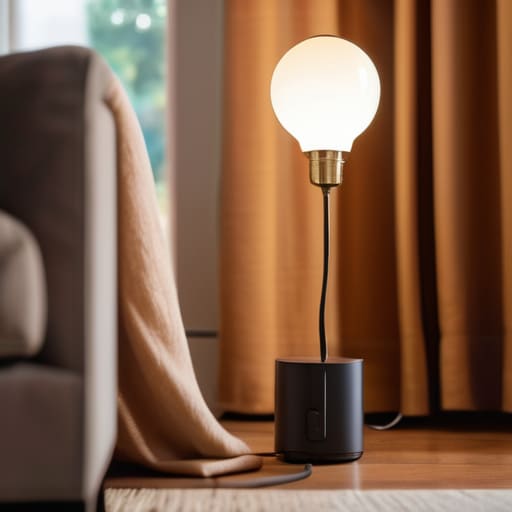
Look, I’m not here to tell you to turn your apartment into a sci-fi movie set. If you’re just starting out, the goal is to find the best smart devices for beginners that solve actual problems—like forgetting if you locked the front door or needing the lights to dim automatically when you’re finally settling in for a movie. I always suggest starting with the “low-hanging fruit”: smart plugs and a few well-placed bulbs. They’re cheap, they don’t require a degree in electrical engineering to install, and they give you that immediate sense of control over your environment without breaking the bank.
Before you go on a shopping spree, though, you need to consider voice assistant compatibility. There’s nothing more frustrating than buying a cool new gadget only to realize it won’t talk to the device you already own. Whether you’re a dedicated Alexa person or an Apple HomeKit user, stick to one lane early on. It keeps things from getting messy and ensures your tech actually works together instead of becoming a collection of expensive, disconnected paperweights.
Setting Up a Smart Home Hub Without the Headache
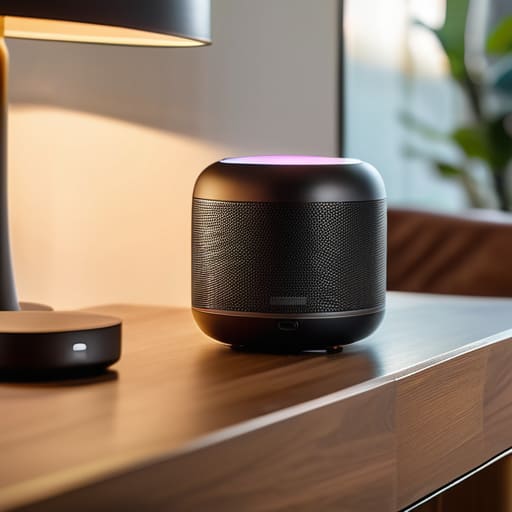
Look, I know the idea of a “central command center” sounds like something out of a sci-fi movie, but we’re not trying to build a spaceship here. When you’re setting up a smart home hub, the biggest mistake is buying gadgets that don’t actually talk to each other. I’ve spent way too many Sunday afternoons troubleshooting why my smart bulb refused to acknowledge my smart plug, and honestly, life is too short for that kind of tech drama.
The secret is to pick one ecosystem and stick to it for a while. Whether you lean toward Alexa, Google, or Apple, you really need to do a quick smart home ecosystem comparison before you start clicking “buy” on every shiny new device. Check for voice assistant compatibility above all else; if you can’t tell your house to turn off the lights while your hands are covered in potting soil from my urban garden, then the tech isn’t actually serving you. It’s all about finding that sweet spot where the tech disappears into the background and just works.
Five Ways to Keep Your Smart Home From Becoming a Second Job

- Start with one room, not the whole house. I used to think I needed to automate my entire apartment overnight, but it’s much less overwhelming to just nail the lighting in your living room first. Once that system feels natural, then you can move on to the kitchen or bedroom.
- Prioritize “invisible” wins. Don’t buy a gadget just because it looks cool on a shelf; buy the one that solves a recurring annoyance. If you’re constantly checking if you locked the front door, get a smart lock. If you hate getting out of bed to turn off the lights, get smart bulbs. Solve a problem, don’t just add clutter.
- Check for compatibility before you tap “buy.” There is nothing more frustrating than unboxing a fancy new device only to realize it doesn’t talk to the hub you already spent an hour setting up. Stick to one ecosystem—like Matter, Apple Home, or Google Home—to keep your digital life from turning into a chaotic mess of different apps.
- Don’t ignore your Wi-Fi strength. I’ve learned the hard way that even the smartest device is useless if it’s sitting in a corner where your internet signal goes to die. Before you go on a shopping spree, walk around your place and see where the dead zones are. You might need a mesh system more than you need a smart toaster.
- Keep a manual override. This is my golden rule. Life happens—the internet goes down, your phone dies, or you just don’t feel like using a voice command. Always make sure your smart switches and locks can still be operated by hand. A smart home should support your life, not force you to live like a character in a sci-fi movie.
My Golden Rule for Smart Tech
“A smart home shouldn’t feel like a science project you have to maintain; it should feel like a quiet assistant that handles the small stuff so you can actually breathe when you walk through the door.”
Audrey Lin-McCallum
Final Thoughts Before You Plug In

Look, if you’re feeling a little overwhelmed by all the options, just take a breath. We’ve covered the essentials: choosing a hub that won’t make you want to throw your phone across the room, picking devices that solve actual problems—like dimming the lights when you’re exhausted—and avoiding the trap of buying every shiny new gadget just because it’s trending. The goal isn’t to turn your apartment into a sci-fi movie set; it’s about building a functional ecosystem that supports your daily rhythm. Start small, maybe with just one smart plug or a single bulb, and see how it actually fits into your routine before you go buying the whole catalog.
At the end of the day, your home should serve you, not the other way around. If a piece of tech feels more like a chore than a convenience, it’s okay to ditch it. We aren’t aiming for a perfectly curated, automated masterpiece; we are just trying to make our real, messy lives a little bit easier to manage. So, grab your notebook, pick one small thing you want to automate this week, and just start there. You’ve got this, and I promise, once you find that one device that actually saves you five minutes of stress, you’ll wonder how you ever lived without it.
Frequently Asked Questions
Do I really need a dedicated hub, or can I just use my phone and some cheap smart plugs to get started?
Honestly? You absolutely can start with just your phone and a few smart plugs. In fact, I’d recommend it. Don’t feel pressured to build a massive command center on day one. Start small—maybe a plug for your coffee maker or a lamp. If you find yourself constantly juggling five different apps just to turn off the lights, that’s when we’ll talk about a hub. For now, keep it simple and low-stakes.
How much of a security risk am I actually taking on by adding all these gadgets to my home Wi-Fi?
Look, I get it. The idea of every lightbulb having an “address” on your network feels a little bit like leaving your front door unlocked. Honestly? If you’re just using reputable brands and keeping your router password from being “password123,” the risk is pretty low. The real trick is keeping your smart gadgets on a separate “guest” network. That way, if a smart toaster goes rogue, it can’t wander into your laptop’s business.
Will all these different brands actually talk to each other, or am I going to end up with five different apps just to turn on my lights?
I hear you—the last thing we need is “app fatigue.” If you end up with a different icon for every lightbulb, you’ve just created a new chore for yourself. To avoid that digital clutter, look for devices labeled with “Matter” or “Thread” support. They’re designed to play nice together. My rule of thumb? Pick one ecosystem—like Apple Home, Google Home, or Alexa—and stick to it. That way, one app rules them all.
