I used to think that being “creative” required a massive budget and a computer that didn’t sound like a jet engine taking off every time I opened a heavy program. Between managing freelance clients and trying to keep my indoor jungle alive, I simply don’t have the time—or the desire—to wrestle with expensive, overly complicated software just to make a decent social media graphic or a simple flyer. We’ve all been there, staring at a blank screen and feeling like we need a degree in graphic arts just to get started. But honestly? You don’t need a massive subscription to produce something that looks professional; you just need the best free design tools that actually respect your time and your sanity.
In this post, I’m stripping away the fluff and sharing the five specific resources I actually keep in my digital toolkit. These aren’t just random apps I found on a whim; they are the reliable workhorses that help me bridge the gap between a messy idea and a polished finished product. Whether you’re trying to spruce up a presentation for work or just want to make your side hustle look a little more official, these picks will help you get it done without the steep learning curve.
Table of Contents
Canva for the Non-Designer
Look, I am definitely not a graphic designer, and most days I feel like I’m just trying to keep my digital life from collapsing. That’s why I always go back to Canva when I need to whip up a quick social media post or a flyer for a neighborhood plant swap. It’s incredibly intuitive; you don’t need to spend three weeks watching tutorials just to figure out how to move a square from one side of the screen to the other. The drag-and-drop interface is a total lifesaver when you’re working on a tight deadline.
Figma for Collaborative Brainstorming
If you’ve ever tried to coordinate a project with three different people via email chains, you know it’s a recipe for a headache. I started using Figma for more than just high-end UI design because its collaborative features are just unbeatable. It allows you to see what others are working on in real-time, which makes the whole process of “building the system” feel much more fluid and much less like a chaotic tug-of-war.
CapCut for Quick Video Edits

Video content can feel incredibly overwhelming, like you need a whole studio and a degree in film studies just to post a simple update. I used to stare at my raw footage for hours, paralyzed by how much work it seemed to require. Then I found CapCut, and it completely changed my approach to video. It’s designed for the way we actually live—fast-paced, mobile-first, and slightly chaotic.
Color Hunt for Instant Inspiration
Color Hunt for Instant Inspiration
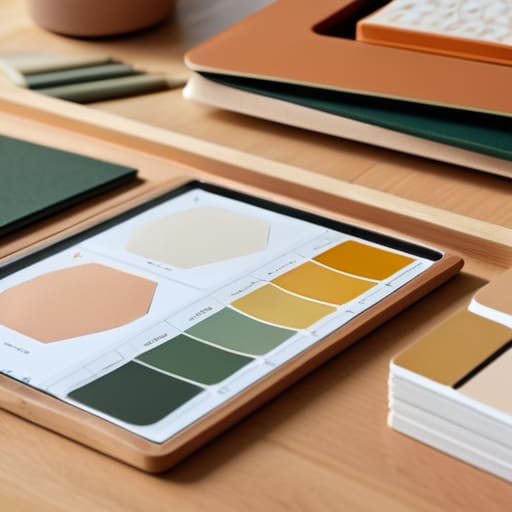
One of the hardest things about DIY-ing your own brand or even just decorating a room is picking a color palette that doesn’t clash. I used to spend way too much time scrolling through Pinterest, getting lost in a rabbit hole of “aesthetic” images that didn’t actually help me make a decision. Color Hunt solved that for me by providing curated, ready-to-use palettes that just work.
Unsplash for High-Quality Visuals
Nothing kills a project faster than using grainy, low-resolution images that look like they were taken on a flip phone from 2005. I used to struggle with finding “good” photos for my presentations or blog posts, but Unsplash has become my go-to resource for high-quality imagery. The library is massive, and the photos actually feel authentic rather than that weird, overly-polished stock photography that feels fake.
## The Real Goal of Design
“We don’t need expensive software to make things look professional; we just need tools that don’t get in the way of actually getting the work done.”
Audrey Lin-McCallum
The Bottom Line
Look, we’ve gone through a lot of options here, but the biggest takeaway is that you don’t need a massive budget or a degree in graphic design to make something that looks professional. Whether you’re leaning on Canva for a quick social post, using Figma to map out a layout, or grabbing assets from Unsplash, the goal is to find the tool that actually fits into your workflow without causing a headache. You don’t need to master every single feature in every single app; you just need to pick one or two that solve your immediate problem so you can get back to the actual work that matters.
At the end of the day, please don’t let the search for the “perfect” tool become another item on your overwhelming to-do list. I’ve spent way too many hours tweaking pixels in software I didn’t even like, thinking it would somehow make my projects better. It doesn’t. What actually moves the needle is just starting. Use what you have, make some mistakes, and remember that a finished, functional design is always better than a perfect one that never leaves your drafts folder. You’ve got this.
Frequently Asked Questions
Do I really need to learn complex software, or can I get by with just these simpler tools?
Honestly? Unless you’re planning to go pro or work at a big agency, you really don’t need the heavy stuff. Most of those complex programs are just extra friction when you’re trying to actually get things done. If these tools get your vision out of your head and onto the screen without causing a headache, they’re doing their job. Let’s prioritize function over fancy—you can always level up later if you actually need to.
Will my designs look "cheap" if I'm not paying for the professional-grade stuff?
Honestly? Not at all. I used to worry about that constantly, thinking if I wasn’t paying a monthly subscription, my work would look amateurish. But here’s the truth: a tool is just a tool. A professional-grade software won’t fix a bad layout or a clashing color palette any more than an expensive hammer makes you a better carpenter. If you understand the basics of balance and typography, these free tools will serve you just fine.
How much time am I actually going to spend learning these versus just getting my work done?
Honestly? If you’re looking for a deep dive into every single button and setting, you’re going to burn out before you even start. My rule is: learn just enough to finish the task at hand. Spend maybe twenty minutes poking around the interface, then get to work. You’ll pick up the advanced stuff through trial and error as you go. We’re building tools that serve us, not spending our lives mastering the tools.
