I was halfway through a deadline-induced caffeine binge last Tuesday when I reached under my desk to grab my charger, only to find myself wrestling with a literal nest of black spaghetti. It wasn’t just messy; it was a physical manifestation of my mental clutter, a tangled web of power strips and USB cords that seemed to multiply every time I turned my back. Most people think you need to spend a fortune on high-end, designer organizers to fix this, but that’s a lie. Real cable management diy isn’t about achieving a sterile, museum-quality look; it’s about making sure you aren’t accidentally unplugging your router when you’re just trying to charge your phone.
In this guide, I’m skipping the expensive, aesthetic-only gadgets that end up gathering dust in your junk drawer. Instead, I’m sharing the scrappy, low-cost methods I’ve perfected over years of living in small spaces—things like using binder clips, velcro strips, and even some clever repurposed household items to tame the chaos. We aren’t aiming for a Pinterest-perfect setup here; we are building a functional system that actually works for your real, busy life. Let’s get those wires under control so you can finally breathe.
Table of Contents
Guide Overview
Tools & Supplies
- Scissors or Wire Cutters for trimming ties
- Label Maker for identifying cable ends
- Velcro Cable Ties (1 pack)
- Cable Management Sleeves (1 pack)
- Adhesive Cable Clips (1 pack)
- Power Strip/Surge Protector (1 unit)
Step-by-Step Instructions
- 1. Before you even touch a single wire, grab a handful of masking tape or some sticky notes and label everything. I know, it sounds tedious, but there is nothing more soul-crushing than being under your desk in a dark corner, trying to figure out which black cord belongs to your monitor and which one is your printer. Just wrap a little piece of tape around the end of the cord and write what it is; your future self will thank you when you actually need to troubleshoot something.
- 2. Clear the deck and gather your “tech junk.” I’m talking about every single power strip, charging brick, and tangled mess currently living under your desk. Once everything is out in the open, take a moment to unplug the non-essentials. If you haven’t used that old lamp or that random peripheral in six months, it doesn’t need a permanent home in your workspace. Let’s keep the footprint small and actually functional.
- 3. Now, let’s tackle the power strips. Instead of letting them sit on the floor like a tangled nest of snakes, I like to use heavy-duty command strips or even a simple DIY wooden trough to mount them to the underside of your desk. Getting the bulky power bricks off the floor immediately makes the room feel bigger and stops your vacuum from getting stuck on them. It’s a small move, but it changes the entire vibe of the room.
- 4. Grab some Velcro cable ties—and please, for the love of all things organized, skip the plastic zip ties. Zip ties are a commitment, and once you’ve cinched them tight, you’re stuck unless you go hunting for scissors. Velcro is much more forgiving; you can easily add a new cord or swap a device out without having to start the whole process over again.
- 5. Use some cable sleeves or even just a simple piece of decorative fabric to bundle the “trunk” of your wires. If you have five different cords running from your desk to the wall outlet, you don’t want them looking like a spaghetti mess; you want them to look like one single, clean line. It’s not about making it look like a professional studio, it’s just about reducing the visual noise so you can actually focus on your work.
- 6. For the little things—like your phone charger or your smartwatch cable—don’t let them slide off the back of the desk every time you unplug them. I usually use a small, weighted desk organizer or even just a simple adhesive cable clip on the edge of my surface. It keeps the ends right where you need them, so you aren’t playing hide-and-seek with your charger every single afternoon.
Smart Under Desk Cable Management Solutions That Actually Work
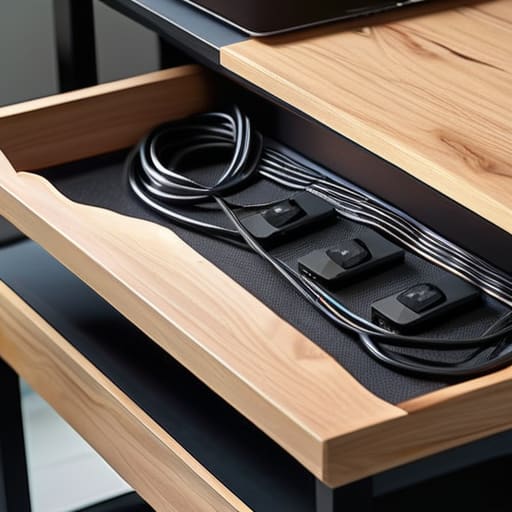
If you’re like me and your desk is essentially the command center for your entire life, you know that the real chaos usually lives underneath the surface. Most people focus on what looks good on top, but if you don’t tackle the underside, you’re just masking the problem. I’ve found that the most effective under desk cable management solutions aren’t the expensive, proprietary kits, but rather simple, modular systems. I’m a huge advocate for mounting a sturdy wire basket or even a repurposed wooden tray to the underside of your desk. It gives you a dedicated “catch-all” zone for power strips and those bulky bricks that always seem to be rolling around on the floor.
When it comes to the actual wiring, please, stop using plastic zip ties. I know they feel secure, but they are a nightmare if you ever need to move a monitor or add a new lamp. Instead, I swear by using velcro straps for wire organization. They’re infinitely more forgiving, and you can rip them open in seconds without needing a pair of scissors or a prayer. It makes managing your tech much more fluid, especially if you’re constantly swapping gear.
Diy Cable Organizers for Home Office Chaos and Beyond

If you aren’t ready to commit to a full desk overhaul, don’t sweat it. Sometimes the best diy cable organizers for home office setups are the ones you cobble together from things you already have in your junk drawer. I’m a huge fan of using binder clips to keep charging cables from sliding off the back of the desk; just clip them to the edge and thread the cord through the metal loops. It’s a tiny change, but it stops that nightly scavenger hunt for your phone charger.
For the more heavy-duty chaos—like when you’re trying to figure out how to hide computer wires behind a bookshelf or a media console—I usually reach for some heavy-duty cardboard tubes or even old mailing tubes. You can mount them to the back of furniture to act as a makeshift conduit for your larger power strips. And please, do yourself a favor and stop using those plastic zip ties that bite into the wire. I’ve learned the hard way that using velcro straps for wire organization is a total game-changer. They’re much more forgiving when you inevitably need to add a new gadget to your setup next month.
Five Quick Wins for When You're Over It

- Label everything with a piece of masking tape or a label maker. Seriously, there is nothing more frustrating than crawling under your desk at 9 PM trying to figure out which black cord belongs to your monitor and which one is actually your lamp.
- Use Velcro ties instead of plastic zip ties. I know, zip ties are cheap, but they are a nightmare if you ever need to add a new gadget or swap out a charger. Velcro is reusable, forgiving, and won’t slice your fingers open when you’re trying to adjust things.
- Don’t try to hide it all at once. If you’re staring at a literal nest of wires, just pick one corner or one specific device to tackle today. Managing the chaos in small chunks is way more sustainable than a weekend-long deep clean that leaves you exhausted.
- Get your power strip off the floor. Use some heavy-duty mounting tape or a cheap under-desk basket to get that bulky plastic block up off the ground. It stops the “dust bunny magnet” effect and makes vacuuming actually possible.
- Group like with like. If you have a cluster of USB cables, bundle them together with a single wrap. It turns a chaotic web into a few distinct “veins” that are much easier for your brain to process visually.
## The Real Goal
“We aren’t trying to win a design award or create a museum-grade workspace; we’re just trying to stop the ‘cable spaghetti’ from stealing our focus and making us feel like our lives are spiraling every time we look under the desk.”
Audrey Lin-McCallum
Done is Better Than Perfect
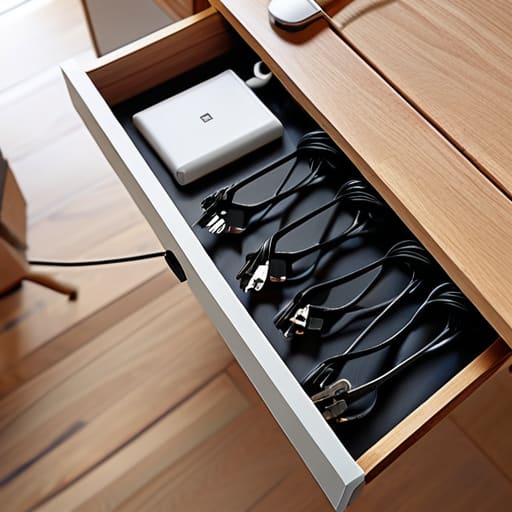
At the end of the day, whether you’re using heavy-duty under-desk trays or just some clever DIY clips you made from spare parts, the goal is the same: reclaiming your headspace. We’ve covered everything from managing the heavy-duty power strips to those tiny, annoying charging cables that seem to migrate across your floor like rogue tumbleweeds. You don’t need a massive budget or a professional electrician to make this happen. Just pick one corner of your workspace, grab your multi-tool, and start taming the chaos one wire at a time. Once you stop tripping over cords and start actually finding the plugs you need, you’ll realize how much mental energy those little tangles were actually stealing from you.
Please, don’t feel like you have to tackle your entire apartment in a single weekend. If you only manage to hide three cables today, that is a win. We are building systems that serve our real, messy, busy lives, not trying to stage a photoshoot for a magazine. Perfection is exhausting, but functionality is incredibly liberating. So, take a breath, pick a small project, and just get started. You’re not just organizing wires; you’re making room to breathe in your own home.
Frequently Asked Questions
How do I keep my cable management solutions from looking like a total eyesore if I'm not using a desk with built-in trays?
Honestly, I’ve been there. When you don’t have those fancy built-in trays, it feels like you’re just fighting a losing battle against a spaghetti monster of wires. My go-to? Get some heavy-duty adhesive cable clips or even just some Velcro ties. Stick them to the underside or the back legs of your desk to route everything downward. It’s not about a “perfect” look; it’s just about getting the mess out of your line of sight.
Is it actually safe to bundle power strips and multiple heavy-duty cords together, or am I creating a fire hazard?
Look, I get it—it’s tempting to bundle everything into one neat little “cord snake,” but let’s talk safety for a second. If you’re bundling heavy-duty cords or high-draw appliances (think space heaters or even just a beefy desktop setup), you can actually cause them to overheat. It’s not about being paranoid; it’s about physics. Try to keep your power strips separate and avoid tightly wrapping thick cables together. Airflow is your friend here.
What’s the best way to manage cables for devices I move around a lot, like my laptop or a floor lamp, without the whole system falling apart?
For the gear that’s always on the move, stop trying to “hide” the wires and start making them mobile. I swear by heavy-duty Velcro ties—not the plastic zip ties, which are a nightmare once you need to rearrange things. For floor lamps or chargers, use weighted cable bases or even just a simple command hook near the outlet. It keeps the cord from sliding behind the desk every time you unplug your laptop.
