I used to think that if I wanted to master how to look better on video calls, I’d need to invest in a ring light that looks like a UFO and a professional-grade backdrop that screams “I definitely don’t live in a 500-square-foot apartment.” I spent way too much time staring at my own grainy, shadowy reflection, convinced that my workspace was just too chaotic to ever look professional. But honestly? Most of the advice out there is just expensive noise designed to make you feel like your current setup is a failure.
I’m not here to sell you a studio makeover or a lifestyle overhaul that takes three hours to prep before a ten-minute check-in. Instead, I want to share the low-effort, high-impact tweaks I’ve learned through years of freelancing from cramped corners and cluttered desks. We’re going to focus on practical adjustments—like where you sit and how you use the light you already have—to ensure you look presentable without rebuilding your entire life. Let’s get you looking sharp using nothing more than what’s already in your reach.
Table of Contents
Improving Webcam Video Quality Without a Studio Setup

Look, I’m not asking you to go out and buy a ring light or a professional-grade DSLR just to check in with your manager. Most of us are working from kitchen tables or tiny corner desks, and that’s fine. The biggest mistake I see is people relying on harsh overhead lights, which basically turn you into a dramatic character in a noir film with shadows under your eyes. Instead, try improving webcam video quality by simply facing a window. Natural light is free, it’s flattering, and it makes you look way more awake than any expensive lamp ever could.
If you don’t have a window facing you, don’t panic. Just grab a desk lamp, pull it closer, and aim it toward your face—not your forehead. You want soft, even light. While you’re at it, pay attention to your best camera angles for remote meetings. Stop letting your laptop sit on a pile of textbooks; prop it up on a sturdy stack of books so the lens is at eye level. It feels a little silly at first, but it prevents that awkward “looking down at the camera” angle that makes everyone look like they’re hovering over a bowl of soup.
Best Camera Angles for Remote Meetings That Actually Work
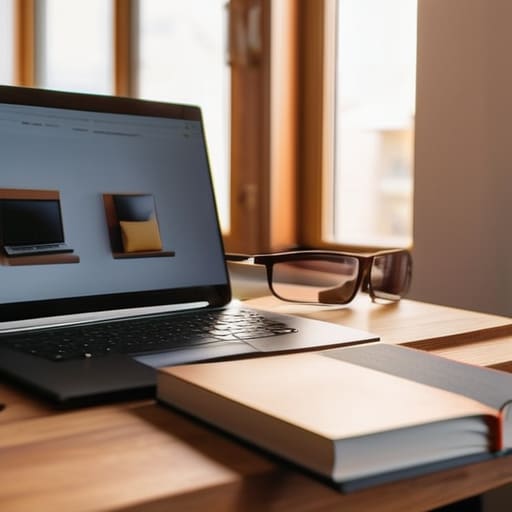
Let’s talk about the “laptop chin” effect. We’ve all been there—staring down at a camera that makes us look like we’re filming a low-budget interrogation. One of the absolute best camera angles for remote meetings is simply getting that lens to eye level. If you’re working from a kitchen table or a desk, don’t bother with a fancy tripod; just grab a couple of thick hardcover books or even a sturdy coffee mug to prop your laptop up. You want the camera to meet your gaze, not look up your nostrils.
Once you’ve got the height right, tilt the screen slightly so you aren’t staring straight ahead like a robot. A subtle, slight downward tilt can feel more natural and helps in minimizing background distractions by keeping the focus squarely on your face rather than the messy bookshelf behind you. It’s a tiny tweak, but it makes a massive difference in how much authority you project. Honestly, if you can find a spot where you aren’t fighting a weird tilt, you’ve already won half the battle.
The "I Woke Up Like This" Guide to Looking Put-Together

- Stop fighting the shadows. If you don’t have a ring light, just grab a desk lamp and point it at the wall behind your monitor. It bounces the light back onto your face softly so you don’t look like you’re filming a true crime documentary in a basement.
- Fix your “tech neck” without a chiropractor. Prop your laptop up on a stack of those old textbooks or even a sturdy coffee mug. Getting the camera at eye level prevents that awkward “looking down into my chin” angle that we all dread.
- Find your “safe” background. You don’t need a minimalist studio; just clear the immediate clutter. A tidy bookshelf or even a plain wall works better than a mountain of laundry or a messy kitchen sink staring at your clients.
- Use the “Digital Filter” trick sparingly. Most platforms like Zoom have a “Touch Up My Appearance” setting. Turn it on, but keep it low. It smooths out the harshness of cheap webcams without making you look like a blurry CGI character.
- Dress for the vibe, not the occasion. You don’t need a blazer, but swapping a wrinkled pajama top for a clean, solid-colored sweater makes a massive difference. Stick to colors that don’t match your background so you don’t accidentally disappear into your own wall.
The Reality Check
“Stop trying to curate a perfect, studio-lit life on camera. Your coworkers aren’t looking for a cinematic masterpiece; they just want to see your face clearly enough to know you’re actually present in the room.”
Audrey Lin-McCallum
The Bottom Line
At the end of the day, looking better on screen isn’t about investing in a professional lighting kit or a $500 webcam that you’ll probably forget to turn on anyway. It’s about those small, intentional tweaks—positioning yourself near a window for natural light, raising your laptop so you aren’t staring down into your nostrils, and making sure your background isn’t a chaotic mess of laundry. If you can manage to fix your angle and grab a decent lamp, you’ve already done 90% of the work. It’s much more about functional presentation than it is about achieving some flawless, filtered perfection.
I know how exhausting it feels to constantly perform for a camera when you’re just trying to get through your to-do list from your living room. But remember, these little adjustments are just tools to help you feel a bit more composed and confident in your digital workspace. You don’t need a curated studio to be professional; you just need a setup that doesn’t distract you or your colleagues from the actual work at hand. So, take a deep breath, adjust your screen, and stop overthinking it. You’ve got this, and your work speaks much louder than your lighting ever will.
Frequently Asked Questions
How do I deal with a messy or distracting background if I don't have a dedicated home office?
Look, I’ve spent half my freelance career sitting at my kitchen table with a pile of laundry just out of frame. If you don’t have a dedicated office, don’t panic. The easiest fix? Use a shallow depth of field—most laptop webcams do this naturally—to blur the chaos behind you. If that’s not enough, a simple, solid-colored sheet hung on a tension rod or even just turning your chair toward a plain wall works wonders. Keep it simple.
What can I do about bad audio or background noise when I'm working from a noisy apartment?
Look, I’ve spent plenty of afternoons trying to sound professional while my neighbor’s leaf blower is doing its best impression of a jet engine. If you can’t find a quiet room, don’t sweat it. Grab a pair of decent earbuds with a built-in mic—they usually do a better job of isolating your voice than a laptop mic. Also, download a noise-canceling app like Krisp; it’s a lifesaver for filtering out that apartment chaos.
Are there any quick, low-effort ways to fix my "Zoom fatigue" or tired eyes before a big meeting?
If you’re staring at a screen and feeling like a zombie right before a call, skip the expensive eye creams. Honestly, just splash some cold water on your face—it’s a literal reset button for your nervous system. If you have two minutes, grab a chilled spoon from the fridge and press it against your eyes to de-puff. Most importantly, blink. Seriously. We forget to blink when we’re hyper-focused, and that’s why our eyes look so bloodshot and tired.
